Understanding your results
You've run your first sweep and generated your daily report files. This page walks through the data Sweepy found for you.
Open the sample report from Alex's paralegal sweep. It shows six matches for one resume track. Use it as a reference to follow along with.
Reading the PDF reports
Open the PDF file in your results folder. Sweepy generates a high-density, 6-card-per-page directory. The engine sorts postings from highest match percentage to lowest.
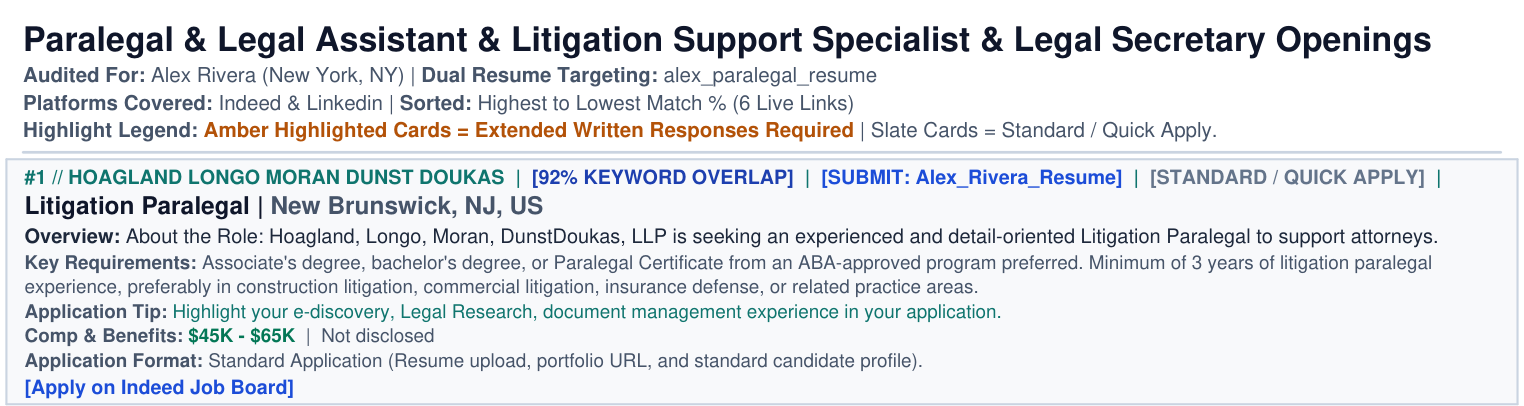
Each card represents one active job opening. This example shows a card from Alex's paralegal sweep:
┌────────────────────────────────────────────────────────────────────────┐
│  Rank: #1                                                              │
│  Match: 92% KEYWORD OVERLAP                                            │
│  [SUBMIT: Alex_Rivera_Resume]                                          │
│  [STANDARD / QUICK APPLY]                                              │
│                                                                        │
│  Role: Litigation Paralegal                                            │
│  Company: Hoagland Longo Moran Dunst Doukas                            │
│  Location: New Brunswick, NJ, US                                       │
│                                                                        │
│  Overview: About the Role: Hoagland, Longo, Moran, DunstDoukas, LLP is │
│  seeking an experienced and detail-oriented Litigation Paralegal to    │
│  support attorneys.                                                    │
│  Key Requirements: Associate's degree, bachelor's degree, or Paralegal │
│  Certificate from an ABA-approved program preferred.                   │
│  Application Tip: Highlight your e-discovery, Legal Research,          │
│  document management experience in your application.                   │
│                                                                        │
│  Comp & Benefits: $45K - $65K  |  Not disclosed                        │
│  Application Format: Standard Application                              │
│  Apply: [Apply on Indeed Job Board]                                    │
└────────────────────────────────────────────────────────────────────────┘
Match percentage score
The engine parses the job description and compares it with the text extracted from your resume PDF or Word file. Requirement overlap supplies 60% of the score, and keyword overlap supplies the remaining 40%:
- Requirement overlap measures the posting's own wording that your resume already shows.
- Keyword overlap measures your resume's vocabulary that the posting repeats.
A score of 75% means the posting and your resume cover most of the same weighted terms for both metrics. A posting term listed as required weighs twice as much as an unlabeled one, and a preferred term weighs half as much.
The card prints 75% KEYWORD OVERLAP beside the score. The label reports the blended score, not the 40% share. A model connected through the Model Context Protocol (MCP) can set its own percentage, and those cards read 75% MATCH instead. The scoring guide covers the full formula.
Read the score as a ranking signal. A high number reports shared vocabulary. Check the Application Tip line on the card, then judge seniority, scope, and career direction yourself. Compare scores within one report, because keywords_weight shifts the scale across profiles.
The submit badge
The [SUBMIT: <resume track>] badge names the resume track Sweepy routed the job to. When your profile defines resume.tracks, the engine sends each posting to the track that shares the most terms with it. The badge prints in that track's color. A single-resume profile uses the resume filename as the track name.
Compensation and benefits
Compensation prints a formatted range when Sweepy finds pay data. Greenhouse metadata, Lever salary ranges, and Ashby compensation tiers supply structured fields. The New York City board, Built In NYC, lists pay on each posting, and Sweepy reads it. Workable doesn't send pay data, so Sweepy pulls the first credible figure from the posting text.
Cards keep the unit the posting used. Hourly roles read $45 - $55 / hour, monthly roles read $8K - $10K / month, and annual roles read $85K - $110K. Sweepy skips numbers tied to bonuses, equity, funding rounds, and stipends. Set search.salary_from_description: false in your profile to read structured fields only.
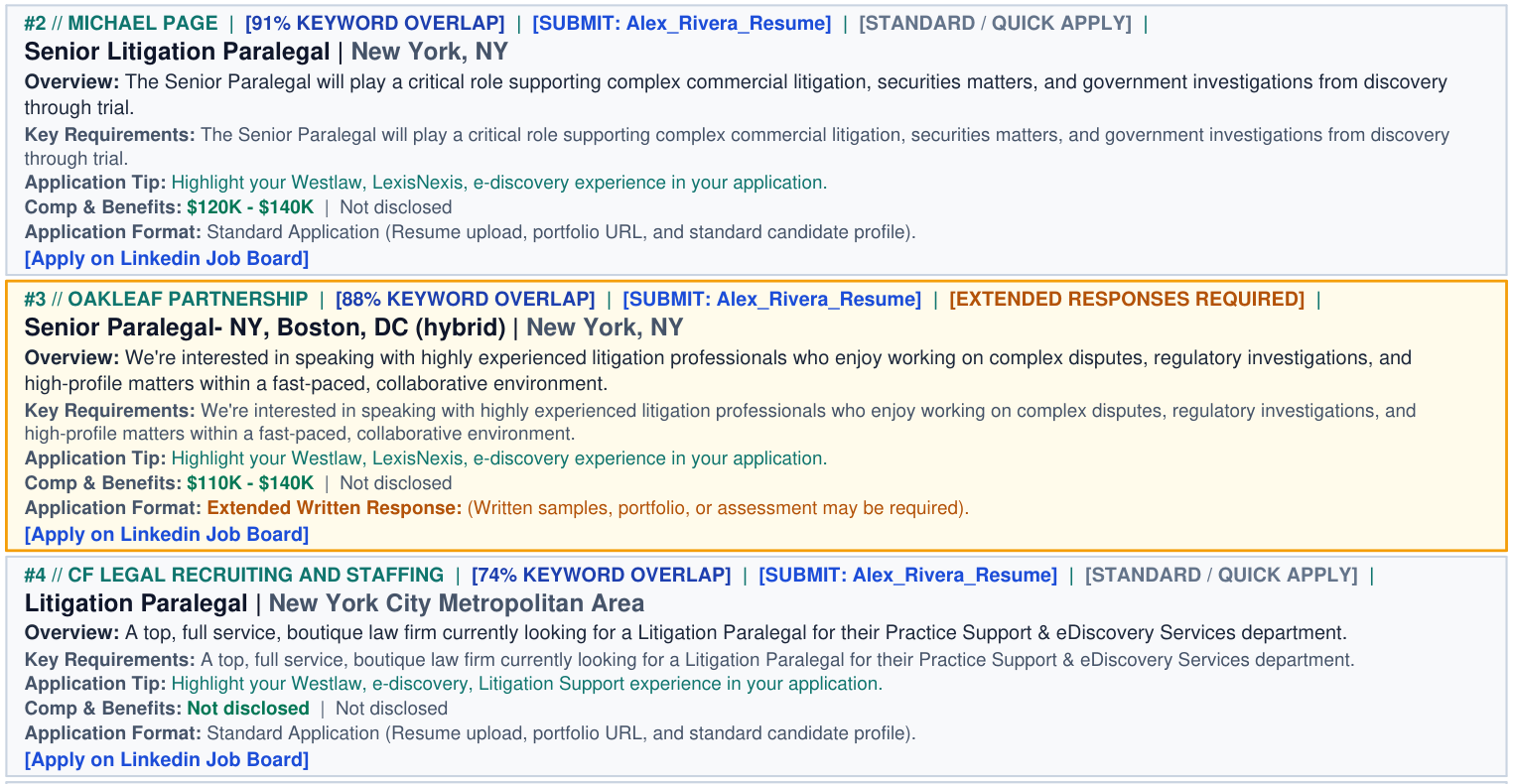
The search.min_salary filter compares annual pay. Sweepy converts an hourly rate at 2,080 hours and a monthly rate at 12 months. It then drops any role whose top annual figure stays below search.min_salary.
Benefits always read Not disclosed without a model. A model connected through MCP writes both lines through submit_judgments, and it can supply pay data that the board never published.
Application tips and the playbook
A card tip and the closing strategy table serve different purposes. Each card prints its own tip, and the report closes with one strategy table.
Application Tip prints on every card. The scorer picks the top three terms that the posting and your resume share, then names them in one sentence. When no terms overlap, the tip falls back to a generic instruction.
Highlight your Litigation Support, document management, court filings experience in your application.
Tailor your cover letter to the core responsibilities listed in the role.
A model can replace the line through submit_judgments with the alignment field.
Playbook appears once per report, after the last card on the final page. The heading reads APPLICATION STRATEGY // DUAL RESUME ROUTING & WORKFLOW PLAYBOOK. The table groups the amber roles and the slate roles, then states how many roles each resume track covers.
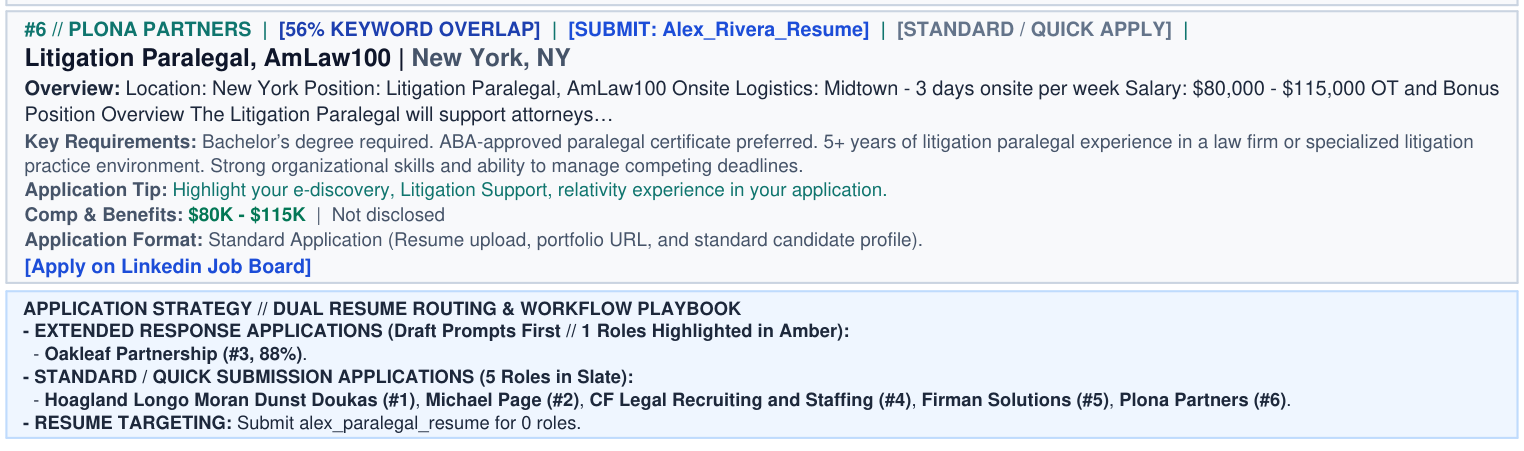
Through MCP, an assistant can replace that table with its own strategy note. Pass the text to render_report as plain prose, and it prints close to what you typed. Ampersands and angle brackets stay the same, while newlines become line breaks and **bold** adds emphasis. Sweepy saves the note with the session. A later render keeps it.
Clickable links
Each card links to the posting itself. A native reader supplies the employer's careers page, while an aggregator supplies the source board. Selecting [Apply on <platform> Job Board] opens that page in your browser. Sweepy reads roles natively from Greenhouse, Lever, Ashby, Workable, and Built In NYC. The optional openroles and jobdrop engines add Workday.
Application badges and resume tracks
Sweepy scans each posting for extended-response signals and adds a badge to every card. The badge shows how much effort the application requires before you open the link.
- Slate cards mark standard or quick apply. The application asks for a resume upload and basic contact details. Most take a few minutes.
- Amber cards mark extended written responses. The application demands real writing. Expect portfolio samples, a cover letter, or custom essay prompts about the company.
Use the badges to pace yourself. Submit five to ten Slate applications during a quick 15-minute break. Save the Amber applications for when you have an hour of focused time to write custom responses.
Using the CSV export
Alongside the PDF, the engine writes a companion CSV file. CSV stands for Comma Separated Values, and the file holds raw tabular data.
The PDF suits reading and opening links. The CSV supports pipeline tracking. Each row contains the card fields plus a posting excerpt. Sweepy trims that excerpt to 1,000 characters and cuts on a sentence boundary. The excerpt fits the 2,000-character Notion cell limit and reads cleanly in Excel. The badge, match_score, min_amount, max_amount, currency, key_matches, missing_skills, and playbook columns repeat the values the PDF shows as badges, percentages, pay ranges, and application tips. The CSV also includes roles past the PDF limit, which stops at 24 cards by default.
Tracking in Microsoft Excel or Google Sheets
The CSV ends with eight tracking columns: date_applied, status, interview_stage, offer_amount, offer_date, follow_up_date, contact, and notes. Fill them in as your pipeline moves. Double-click the .csv file to open it in Excel, or upload it to Google Sheets.
Sweepy reads the previous exports for the same profile and copies your entries into the newest file. A role you marked Applied on Monday still reads Applied on Friday. Matching runs on the posting link, so a replaced link still matches through the role title, company, and location. Turn the columns off with export.tracking: false in the profile, or from Sweep Settings.
Importing to Notion
Notion appends CSV rows to a full-page database. It never updates existing rows, so import one file and track later changes inside Notion.
To import the CSV into a Notion database:
- Open your Notion workspace.
- Create a page and select Table or Board under Get started with.
- Open the
...menu on the full-page database, select Merge with CSV, then choose your generated file. - Map each CSV column to a Notion property. Notion creates a property for every header, and headers that match existing properties fill those instead.
Notion can't build relations, rollups, or formulas from a CSV.
Your daily sweep
You installed Sweepy and configured your search profile. You also read your first match reports.
You now have everything you need to automate your job search. Run the sweep every morning, then apply to your top matches.
Good luck.